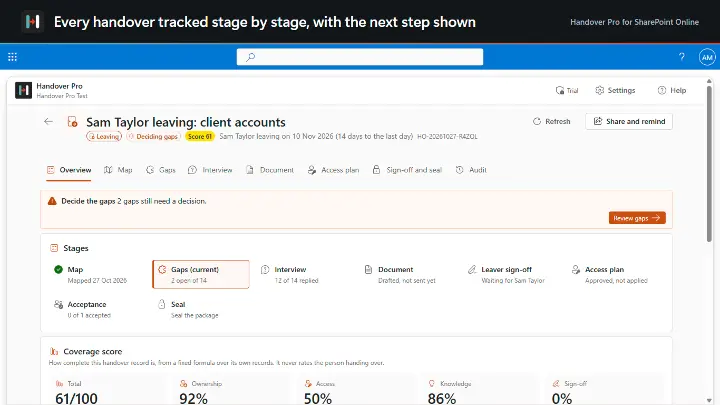
When people move on, their work stays.
SharePointTeams
from £1,499 a year

 Image Maps
 NavPilot
 Advanced Tabs
 HTMLPoint
 Power Popups
 Alerts Fusion
 Short URL
 QR Code Drop
 DirectoryPoint
 HRPoint
 OnboardPoint
 GovernPoint
 ExposurePoint
 UsagePoint
 ExpiryPoint
 Handover Pro
 EquipPoint
Best-before dates for your SharePoint documents.
ExpiryPoint gives every SharePoint document a review date and a named reviewer, who decides in seconds: still current, needs an update, or ready to retire.
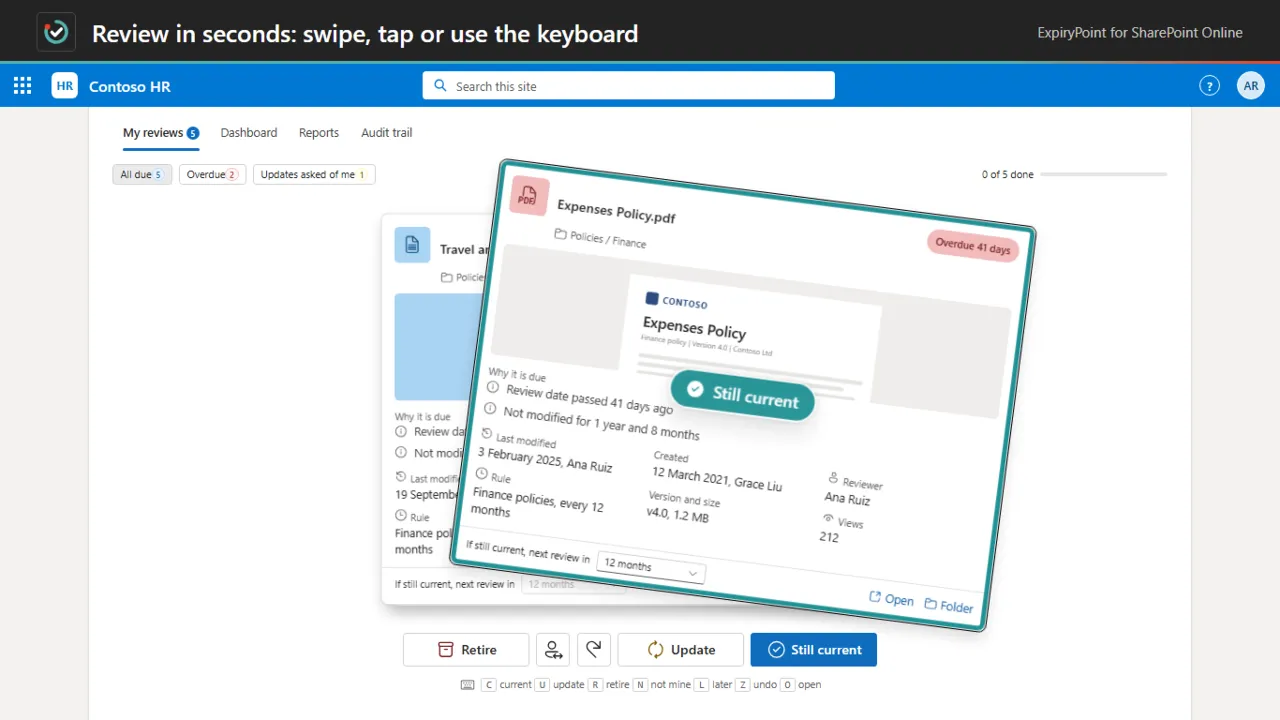
Review in seconds: swipe, tap or use the keyboard
Every SharePoint document gets a review date and a named reviewer. Reviewers work through their files in a fast review deck: still current, request update or mark for retirement, by swipe, key or button, with undo. Reviewing never changes the document, because review state lives in hidden lists in your own SharePoint. It helps evidence periodic review, and it needs no admin consent to use.
Review every 30 days, 90 days, 6 months, 12 months or on a custom interval, set per rule.
Still current, request update or mark for retirement, by swipe, key or button, with undo.
Overdue, due soon, pending actions and completed reviews in one place, with search and filters.
Ordered rules by library, content type, metadata column and sensitivity label.
One to three approval stages per rule, each with a named approver.
Who, when, the decision, the comment and the dates before and after, with export to Excel or CSV.
A short look at the app working, on real screens.
Compliance and quality teams · Document owners · Site owners · IT teams
14-day free trial. Annual pricing in pounds, excluding VAT, with updates and support included.
Also included in All Access and IT and Copilot Pack.
Bigger than the largest plan? Ask us for a quote. Full details on expirypoint.com, or compare all prices.
ExpiryPoint gives every SharePoint document a review date and a named reviewer, set by rules on library, content type, metadata or sensitivity label. Reviewers decide in seconds: still current, needs an update, or ready to retire.
No. Review state lives in hidden lists in your own SharePoint, so a document's Modified date and version history stay as they were.
When people move on, their work stays.
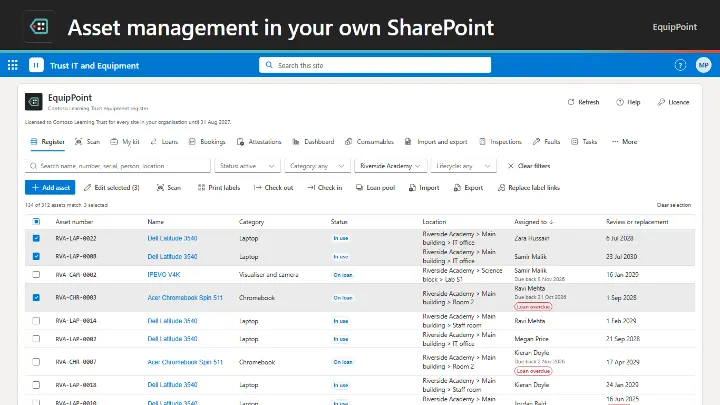
Asset management that lives in SharePoint and Teams.
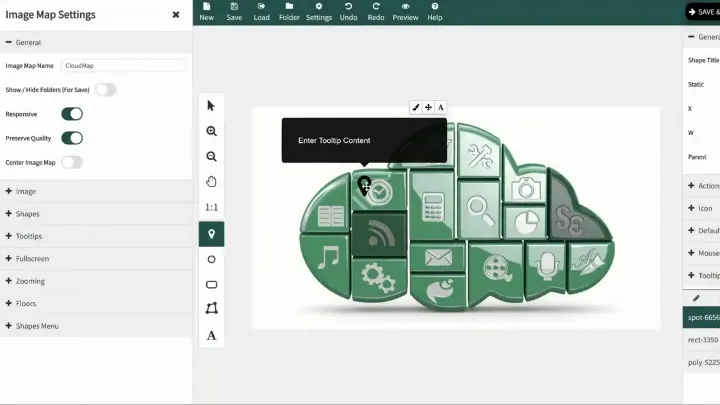
Turn any image into a clickable navigation hub.