
Search all apps
Navigation and pages
Image Maps iconImage Maps NavPilot iconNavPilot Advanced Tabs iconAdvanced Tabs HTMLPoint iconHTMLPoint
Communications and sharing
Power Popups iconPower Popups Alerts Fusion iconAlerts Fusion Short URL iconShort URL QR Code Drop iconQR Code Drop
People and HR
DirectoryPoint iconDirectoryPoint HRPoint iconHRPoint OnboardPoint iconOnboardPoint
Copilot and governance
GovernPoint iconGovernPoint ExposurePoint iconExposurePoint UsagePoint iconUsagePoint
Records and assets
ExpiryPoint iconExpiryPoint Handover Pro iconHandover Pro EquipPoint iconEquipPoint
Explore
All apps Packs and All Access Productivity Pack Pricing Why APPS 365 Contact Product Tour Book a free demo

SharePoint records and asset apps

SharePoint records and asset management apps keep track of what matters in your own Microsoft 365. ExpiryPoint gives every document a review date and a named reviewer, Handover Pro runs a tracked, signed handover when someone moves on, and EquipPoint keeps an asset register you can scan from a phone.

Updated

Compare records and asset apps

AppBest forWorks inFrom, per year
ExpiryPoint iconExpiryPoint Set review dates on documents SharePoint, Teams, Power Automate £199
Handover Pro iconHandover Pro Capture handovers when people move on SharePoint, Teams £1,499
EquipPoint iconEquipPoint Track assets and equipment by QR code SharePoint, Teams, Viva Connections £595
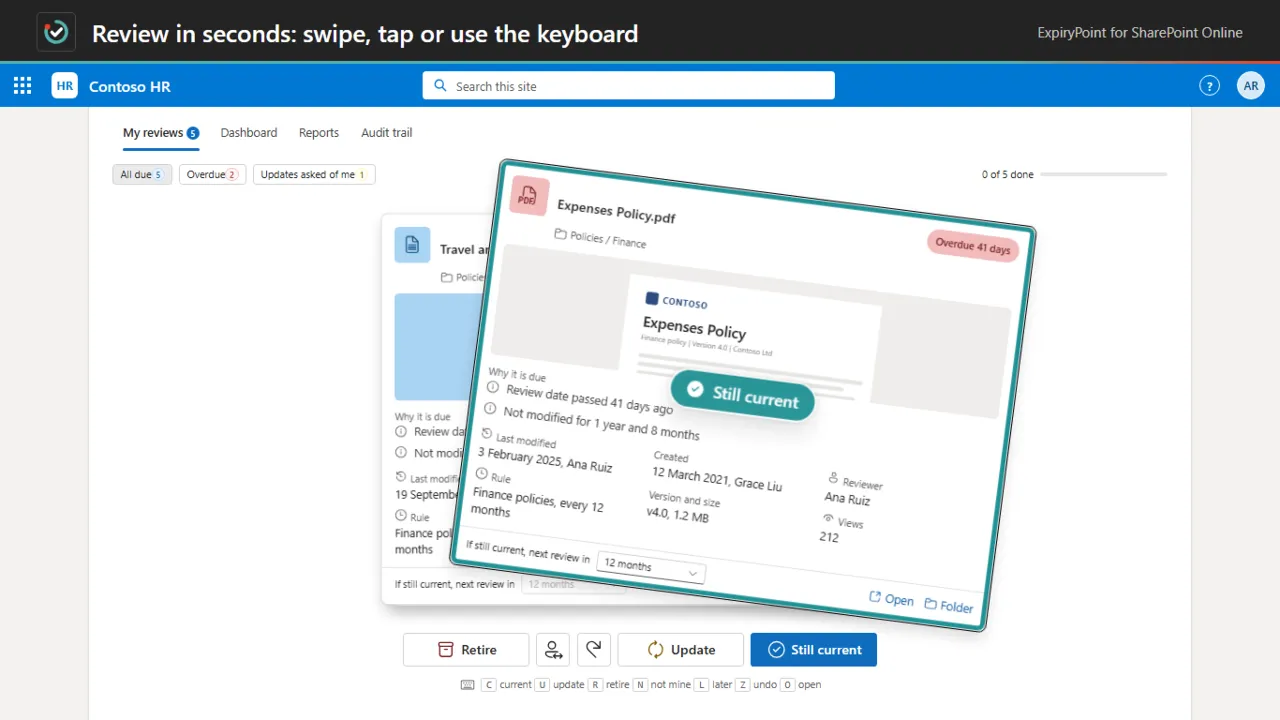
ExpiryPoint: Review in seconds: swipe, tap or use the keyboard

Best-before dates for your SharePoint documents.

  • Automated review scheduling. Review every 30 days, 90 days, 6 months, 12 months or on a custom interval, set per rule.
  • A fast review deck. Still current, request update or mark for retirement, by swipe, key or button, with undo.
  • Central dashboard. Overdue, due soon, pending actions and completed reviews in one place, with search and filters.
from £199 a year
SharePointTeamsPower Automate
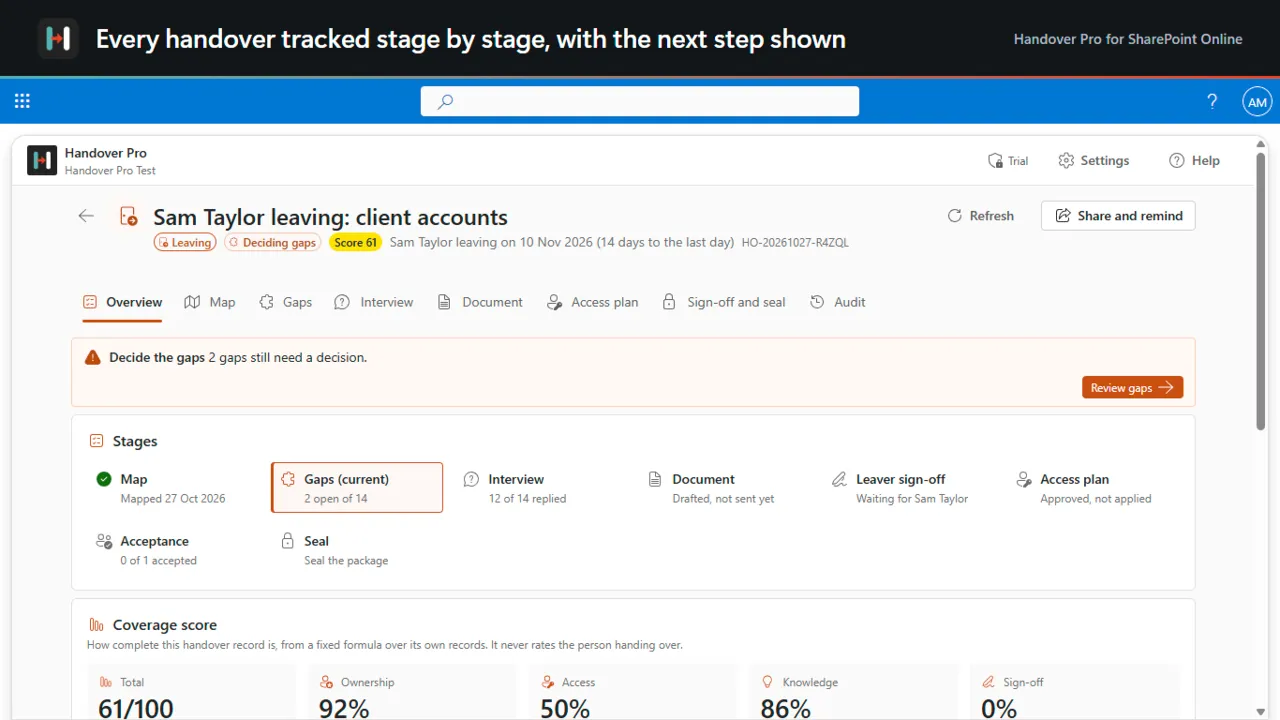
Handover Pro: Every handover tracked stage by stage

When people move on, their work stays.

  • Map what they own. The sites, libraries, lists and folders you choose, with who owns, edits and can open what.
  • Find the gaps. Files only this person knows about, items with no other owner, sharing links and check-outs.
  • Interview in their words. Questions built from the gaps, answered by the person handing over.
from £1,499 a year
SharePointTeams
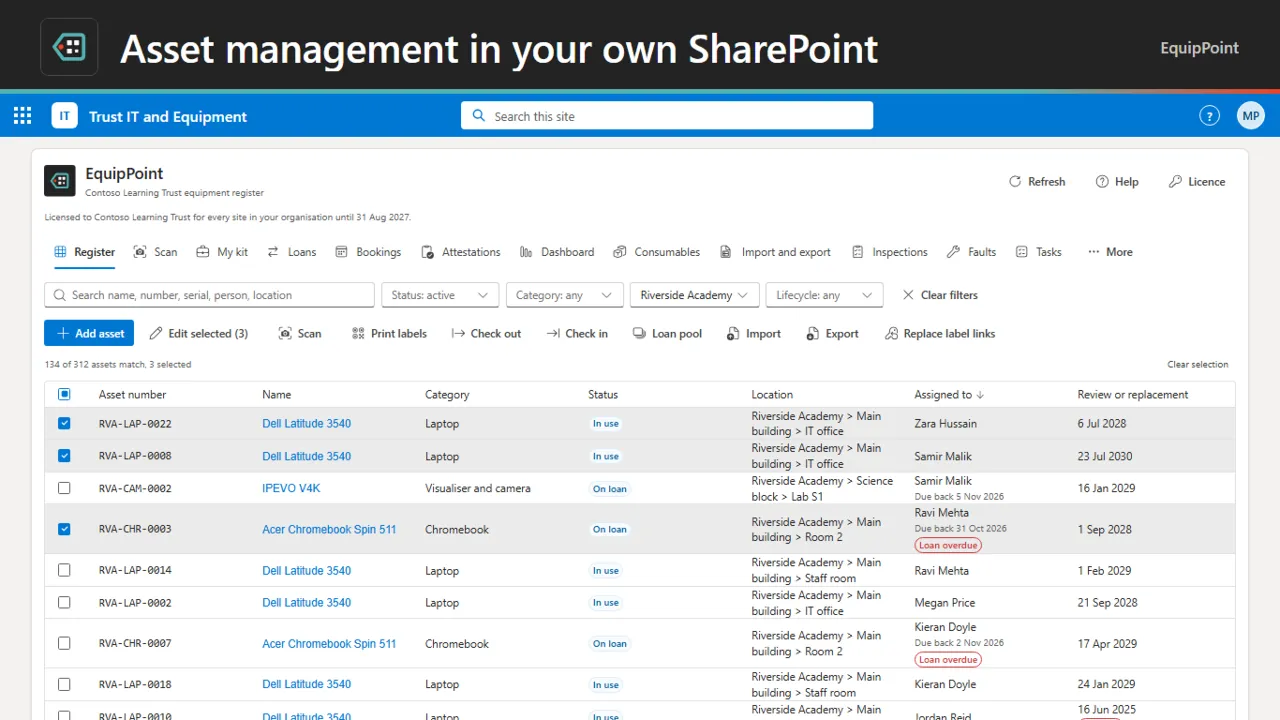
EquipPoint: Asset management in your own SharePoint

Asset management that lives in SharePoint and Teams.

  • An asset register in SharePoint. Laptops, tablets, projectors, PE kit and tools, with custom fields, locations and a full history of every change.
  • QR labels and NFC tags. Print QR labels on A4 sheets or write NFC tags. Each label opens the asset after sign-in.
  • Check-out and My kit. Check out to people, locations or other assets, with due dates, reminders and a receipt in your library.
from £595 a year
SharePointTeamsViva Connections

SharePoint records and asset management apps: questions, answered

Can SharePoint do asset management?

Yes, with an app. EquipPoint keeps your asset register in your own SharePoint lists, with QR labels you scan with a phone, check-out with due dates, stocktakes and inspections, and it works in Microsoft Teams.

How do I keep SharePoint documents up to date?

Give each document a review date and a named reviewer. ExpiryPoint sets dates by rule and lets reviewers decide in seconds: still current, needs an update, or ready to retire. Reviewing never changes the document.

How do I run a handover when someone leaves?

Handover Pro maps what the person owns, finds what would be lost, interviews them, moves access through an approved plan you can roll back, and seals a signed record. It also covers movers, projects, clients and cover for leave.

Where is the data kept?

In your own Microsoft 365. ExpiryPoint and EquipPoint keep their records in your SharePoint lists, and Handover Pro runs in your own tenant with no servers of ours.

Not sure which app fits? See them in a demo

Book a free demo

See the apps on a real SharePoint site, with one of our UK team.

  • 30 minutes
  • Online video call
  • No obligation