Search all apps
Navigation and pages
Image Maps iconImage Maps NavPilot iconNavPilot Advanced Tabs iconAdvanced Tabs HTMLPoint iconHTMLPoint
Communications and sharing
Power Popups iconPower Popups Alerts Fusion iconAlerts Fusion Short URL iconShort URL QR Code Drop iconQR Code Drop
People and HR
DirectoryPoint iconDirectoryPoint HRPoint iconHRPoint OnboardPoint iconOnboardPoint
Copilot and governance
GovernPoint iconGovernPoint ExposurePoint iconExposurePoint UsagePoint iconUsagePoint
Records and assets
ExpiryPoint iconExpiryPoint Handover Pro iconHandover Pro EquipPoint iconEquipPoint
Explore
All apps Packs and All Access Productivity Pack Pricing Why APPS 365 Contact Product Tour Book a free demo

SharePoint navigation and page apps

SharePoint navigation and page apps help people find what they need on a modern SharePoint intranet. Modern SharePoint has no native clickable image maps or tabbed page layouts, so Image Maps, NavPilot, Advanced Tabs and HTMLPoint from APPS 365 add these as web parts, with no developers needed.

Updated

Compare navigation and page apps

AppBest forWorks inFrom, per year
Image Maps iconImage Maps Turn images and diagrams into clickable navigation SharePoint, Teams £999
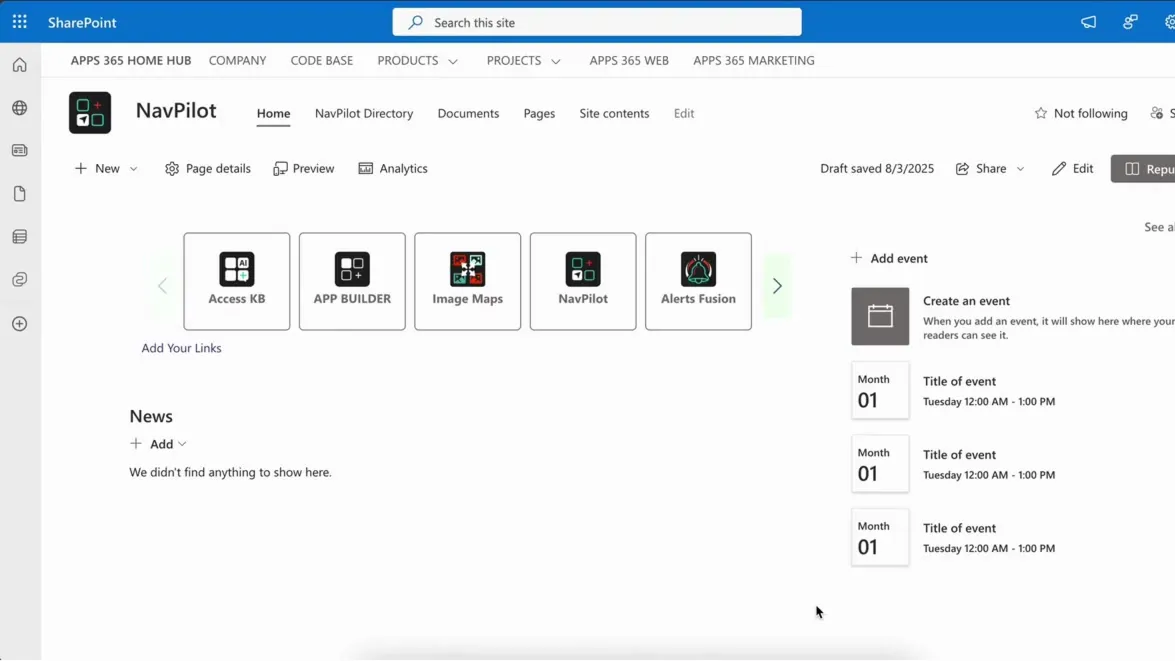
NavPilot iconNavPilot Give each employee a personal launchpad SharePoint, Teams £999
Advanced Tabs iconAdvanced Tabs Tidy long pages into labelled tabs SharePoint £999
HTMLPoint iconHTMLPoint Build live dashboards without Power BI SharePoint, Teams £295
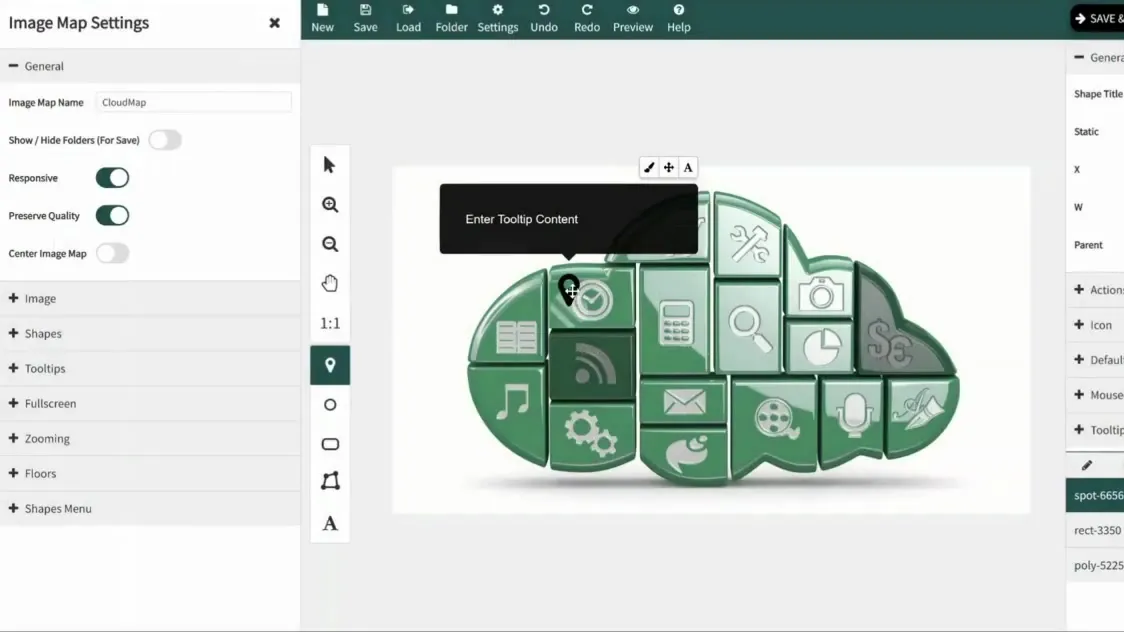
Image Maps: Drawing hotspots over an image

Turn any image into a clickable navigation hub.

  • Drag-and-drop hotspot editor. Draw polygon, rectangle, ellipse, icon or connected-shape hotspots over any image - a process diagram, an org chart or an intranet graphic. No code, no developers.
  • Rich shape and icon library. 150 SVG icons and Font Awesome built in, so you can mark steps, teams and destinations without new artwork.
  • Clickable process maps. Link each step of a process diagram to its procedure, form, template or page, so people go straight from the picture to the document they need.
from £999 a year
SharePointTeams
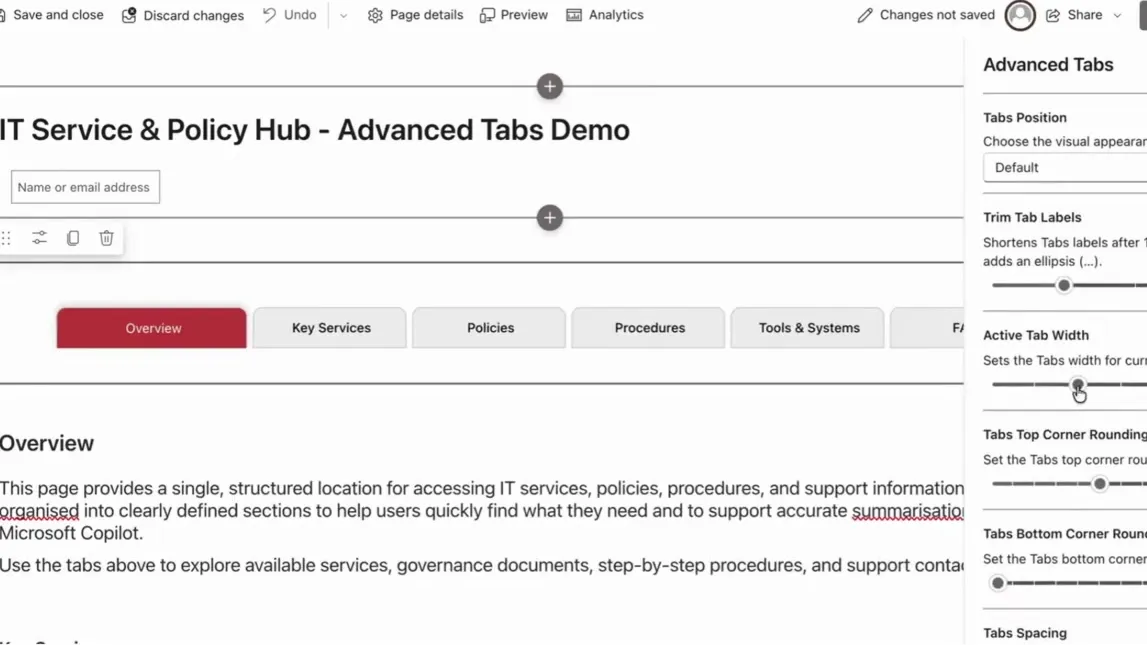
Advanced Tabs: A page tidied into tabs

Clean tabbed pages, built for users and Copilot.

  • No-code tab grouping. Group any existing web parts into clearly labelled tab sections from a simple config panel.
  • Non-destructive DOM reparenting. Moves web parts into tabs without duplicating or iframing them - no broken lifecycles.
  • AI-ready structure. Clear content segmentation helps Copilot and AI agents return more accurate answers.
from £999 a year
SharePoint
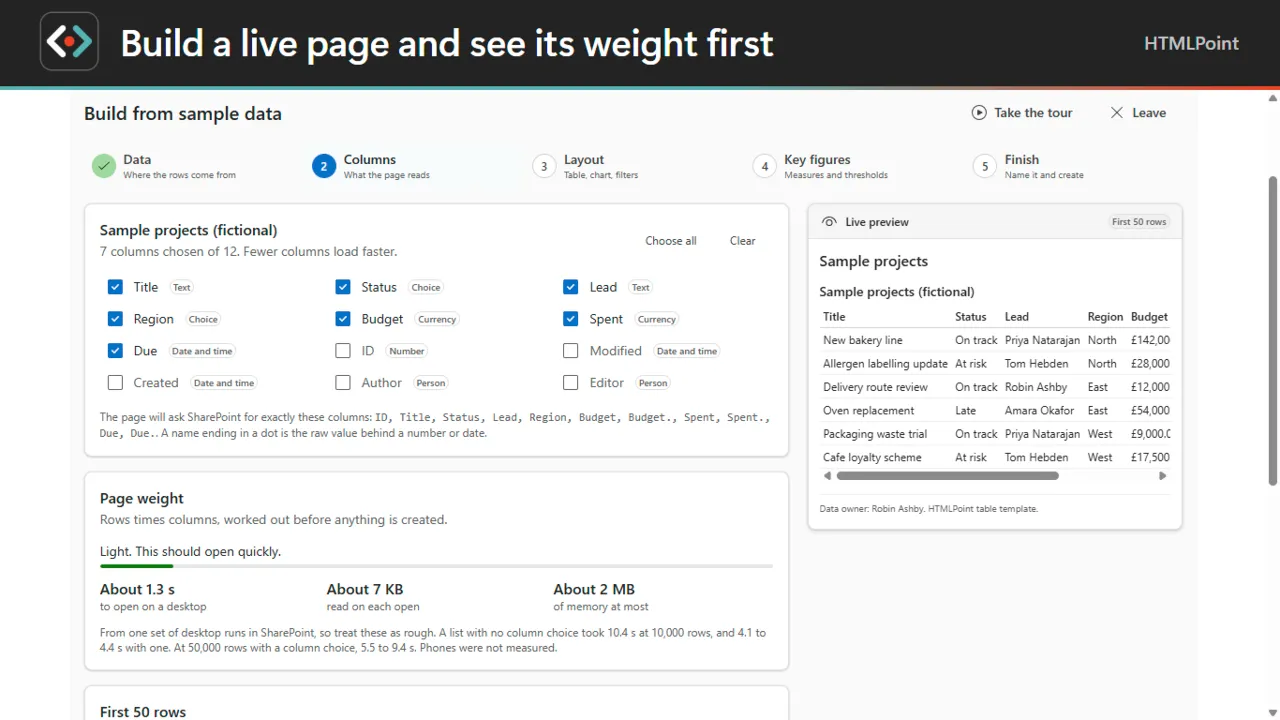
HTMLPoint: Building a live page and checking its weight first

Build, check and keep live SharePoint HTML pages.

  • No-code page builder. Pick a list, CSV or Excel file, choose the columns and a layout, and see the first 50 rows and a page weight meter before you create a draft.
  • Filters, joins and key figures. Filters, joins between two sources and key figures with red, amber and green.
  • Blank Page Doctor. Runs a page in Microsoft's own viewer and shows each blocked item and script error in plain words, each with a fix.
from £295 a year
SharePointTeams

SharePoint navigation and page apps: questions, answered

What are the best SharePoint navigation apps?

It depends on the job. Image Maps turns any image into clickable hotspots, NavPilot gives each person a personalised launchpad of links and AI prompts, and Advanced Tabs reorganises long pages into labelled tabs. All three are web parts from APPS 365 with a free trial.

How do I improve navigation on a SharePoint intranet?

Reduce long lists of links and long pages. Use a clickable image for visual navigation, a personal launchpad for the links each person uses most, and tabs to split long pages into sections. Image Maps, NavPilot and Advanced Tabs do these jobs without custom development.

Can I build a dashboard in SharePoint without Power BI?

Yes. HTMLPoint builds a live SharePoint HTML page from a list, CSV or Excel file with no code and no Copilot licence for authors. Viewers never need the app to read the page.

Do these apps work on modern SharePoint pages?

Yes. They are built with the SharePoint Framework (SPFx), Microsoft's recommended model for SharePoint Online, and are added to modern pages as web parts.

Not sure which app fits? See them in a demo

Book a free demo

See the apps on a real SharePoint site, with one of our UK team.

  • 30 minutes
  • Online video call
  • No obligation