Search all apps
Navigation and pages
Image Maps iconImage Maps NavPilot iconNavPilot Advanced Tabs iconAdvanced Tabs HTMLPoint iconHTMLPoint
Communications and sharing
Power Popups iconPower Popups Alerts Fusion iconAlerts Fusion Short URL iconShort URL QR Code Drop iconQR Code Drop
People and HR
DirectoryPoint iconDirectoryPoint HRPoint iconHRPoint OnboardPoint iconOnboardPoint
Copilot and governance
GovernPoint iconGovernPoint ExposurePoint iconExposurePoint UsagePoint iconUsagePoint
Records and assets
ExpiryPoint iconExpiryPoint Handover Pro iconHandover Pro EquipPoint iconEquipPoint
Explore
All apps Packs and All Access Productivity Pack Pricing Why APPS 365 Contact Product Tour Book a free demo

SharePoint HR and people apps

SharePoint HR and people apps run people processes inside Microsoft 365, where staff already work. DirectoryPoint is an employee directory, HRPoint keeps UK HR records, leave and right to work, and OnboardPoint manages joiners, movers and leavers. Records stay in your own tenant, in SharePoint lists and libraries.

Updated

Compare HR and people apps

AppBest forWorks inFrom, per year
DirectoryPoint iconDirectoryPoint Find anyone with an employee directory SharePoint, Teams, Viva Connections £295
HRPoint iconHRPoint Run UK HR, leave and right to work SharePoint, Teams, Viva Connections £395
OnboardPoint iconOnboardPoint Manage joiners, movers and leavers SharePoint, Teams £395
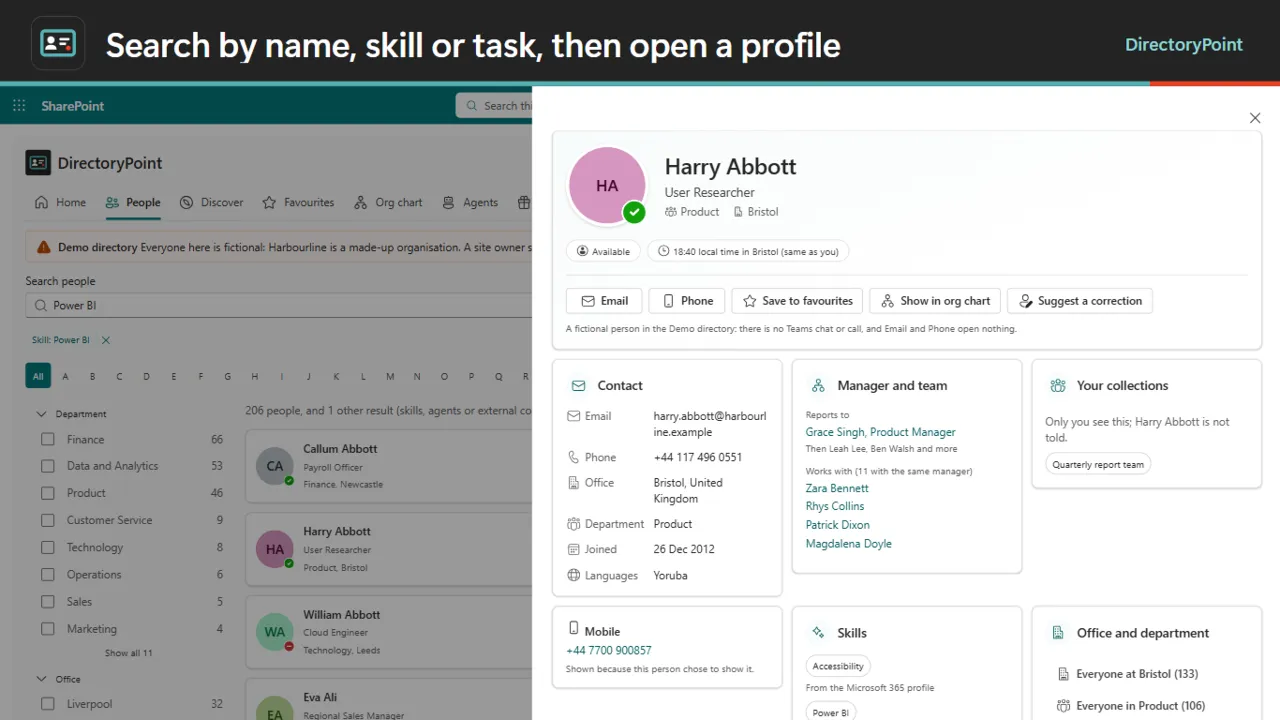
DirectoryPoint: Search by name, skill or task, then open a profile

Find anyone in your organisation, fast.

  • Forgiving search. Search by name, skill, job title, department, office or language, with typos and nicknames handled and results as you type.
  • Rich profiles. Teams chat, call and email in one tap, skills, an org chart, and how to say a name or work with someone.
  • Agents beside people. Site owners tag AI agents with tasks, so "book leave" lists the agent and the people who can help.
from £295 a year
SharePointTeamsViva Connections
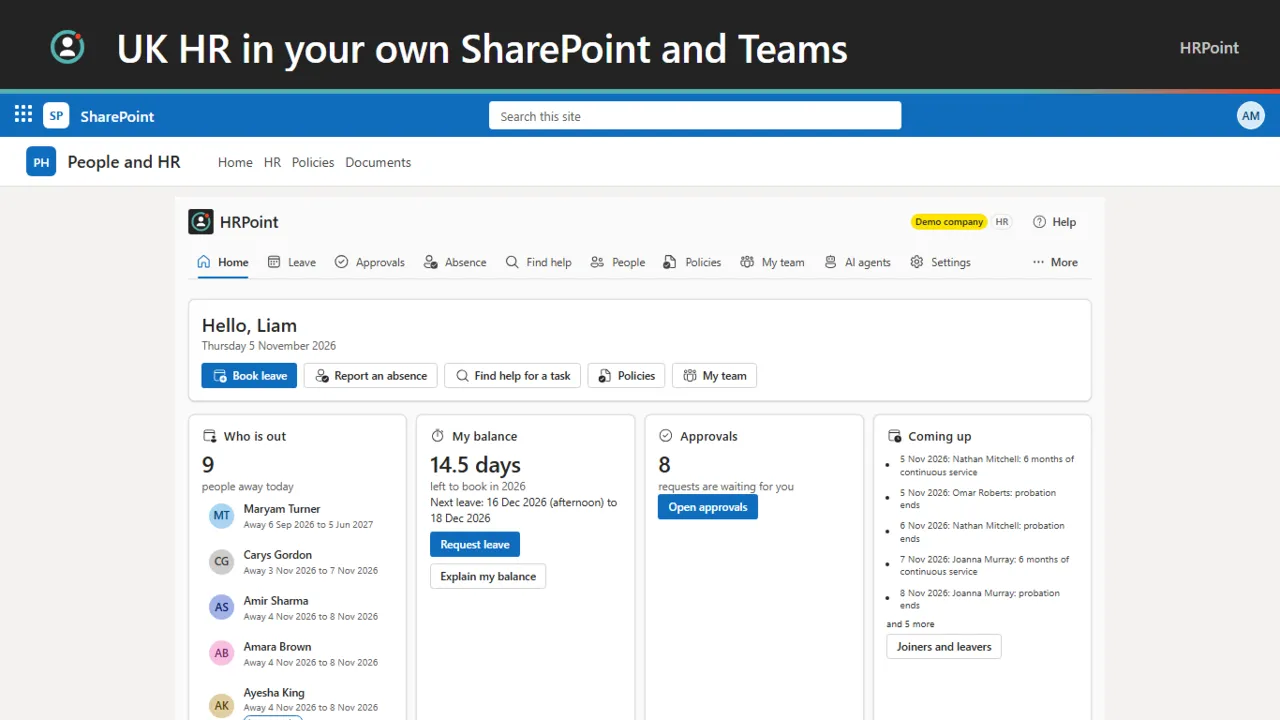
HRPoint: The first screen answers the day

UK HR that lives in your Microsoft 365.

  • One employee record. Worker type, contract terms, working pattern, service, probation and notice, with every change dated so history is never overwritten.
  • Holiday worked out. Days or hours, pro-rata, irregular hours, each nation's bank holidays and carry-over, with "Explain my balance" on every balance.
  • Sickness and family leave. Absence notification, fit notes, return to work, day-one Statutory Sick Pay and family leave. A manager sees dates and the category, never a diagnosis.
from £395 a year
SharePointTeamsViva Connections
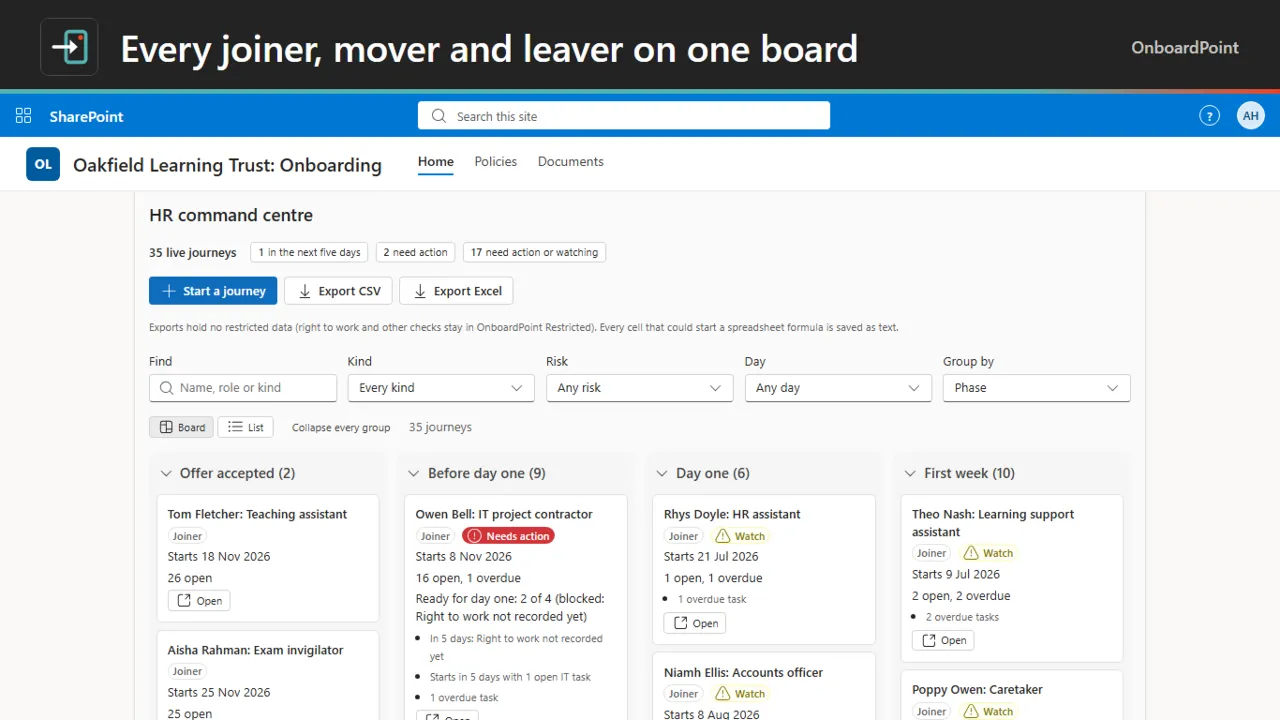
OnboardPoint: Every joiner, mover and leaver on one board

Joiners, movers and leavers on one board.

  • HR command centre. Every joiner, mover and leaver on one board, with dated work for every owner.
  • Day-one and last-day gates. Checks that must be done before a start date or a leaving date, in one place.
  • The first 90 days. A starter home and a plan that carries on after day one.
from £395 a year
SharePointTeams

SharePoint HR and people apps: questions, answered

Can you run HR in SharePoint?

Yes. HRPoint keeps employee records, UK holiday, sickness and Statutory Sick Pay, right to work records and policy acknowledgements in SharePoint and Microsoft Teams, in your own Microsoft 365 tenant.

What is the best employee directory for SharePoint?

DirectoryPoint is built for SharePoint and Teams, with search that forgives typos and nicknames, profiles with Teams chat and call, an org chart, and AI agents listed beside people. It works with no Microsoft Graph permission to start.

How do I manage employee onboarding in SharePoint and Teams?

OnboardPoint creates dated tasks for HR, IT, facilities, payroll, managers and buddies from one record per person, and covers movers and leavers too. Records stay in your Microsoft 365 tenant.

Do these apps use AI to rate or rank people?

No. HRPoint never screens or ranks candidates, and a rating is a word a person chooses. AI agents can be listed beside people, but people stay in charge of decisions.

Not sure which app fits? See them in a demo

Book a free demo

See the apps on a real SharePoint site, with one of our UK team.

  • 30 minutes
  • Online video call
  • No obligation