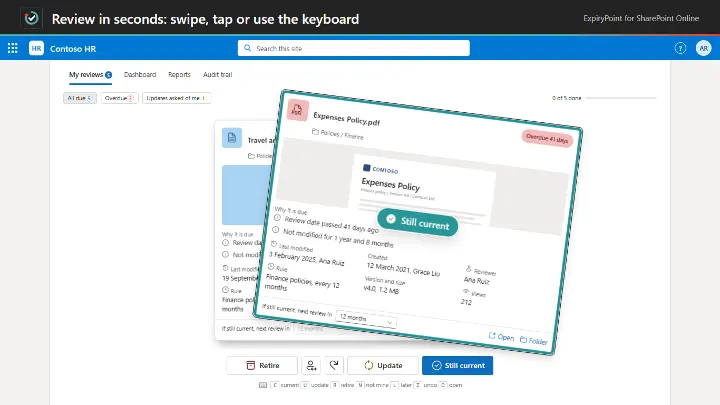
Best-before dates for your SharePoint documents.
SharePointTeamsPower Automate
from £199 a year

 Image Maps
 NavPilot
 Advanced Tabs
 HTMLPoint
 Power Popups
 Alerts Fusion
 Short URL
 QR Code Drop
 DirectoryPoint
 HRPoint
 OnboardPoint
 GovernPoint
 ExposurePoint
 UsagePoint
 ExpiryPoint
 Handover Pro
 EquipPoint
When people move on, their work stays.
Handover Pro runs the whole handover inside SharePoint. It maps what the person owns, finds what would be lost, interviews them, moves access through a plan someone approves, and seals a signed record anyone can check.
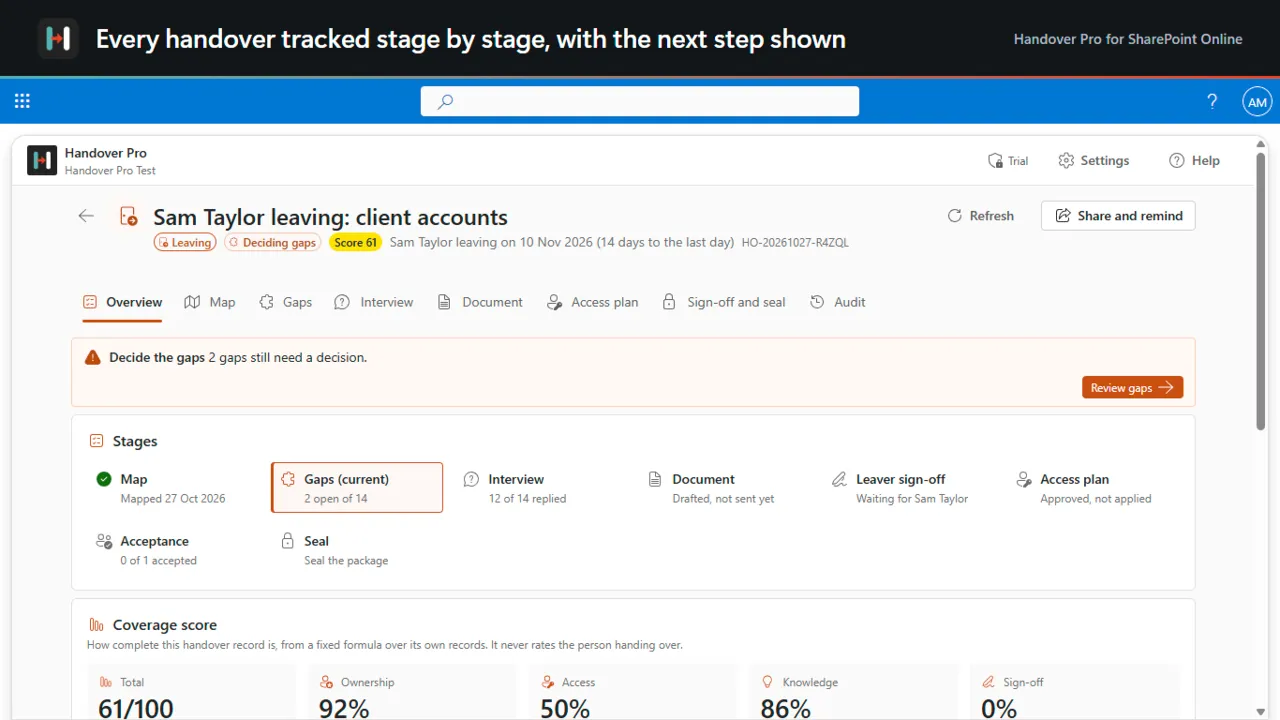
Every handover tracked stage by stage
Handover Pro runs a tracked, signed staff handover in SharePoint Online whenever someone leaves, changes role, passes on a piece of work, hands over a client or goes on leave. It maps the sites, libraries, lists and permissions of the person handing over, finds what would be lost, interviews them, moves their access through an approved plan you can roll back, and seals a verifiable handover pack. It runs in your own tenant, with no servers of ours and no Graph permissions.
The sites, libraries, lists and folders you choose, with who owns, edits and can open what.
Files only this person knows about, items with no other owner, sharing links and check-outs.
Questions built from the gaps, answered by the person handing over.
Every statement cites a file, an item or an answer.
Access is added for the people taking over before it is removed, and every change is verified and can be rolled back until sealing.
Each person signs off, then a package is sealed with a PDF certificate and a tamper-evident audit trail.
A short look at the app working, on real screens.
HR and people teams · Line managers · IT and Microsoft 365 administrators · Compliance
14-day free trial. Annual pricing in pounds, excluding VAT, with updates and support included.
Also included in All Access and IT and Copilot Pack.
Bigger than the largest plan? Ask us for a quote. Full details on handoverpro.com, or compare all prices.
Handover Pro maps what the person owns, finds what would be lost, interviews them, moves access through an approved plan you can roll back, and seals a signed record. It covers leavers, movers, projects, clients and cover.
No. It reads names, owners, dates and permissions, never file contents, and runs in your own tenant.
Best-before dates for your SharePoint documents.
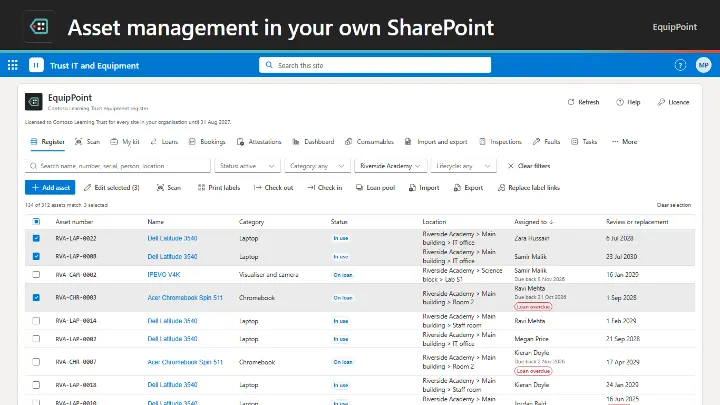
Asset management that lives in SharePoint and Teams.
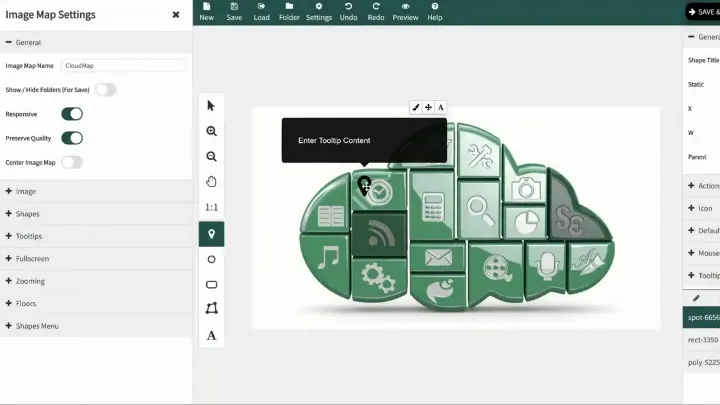
Turn any image into a clickable navigation hub.