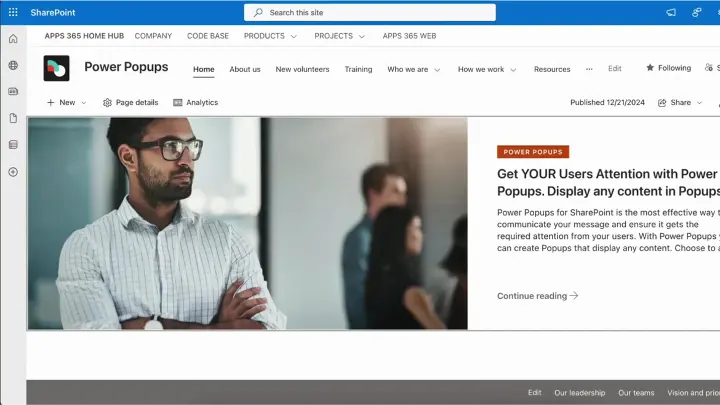
Attention-grabbing popups SharePoint cannot do natively.
SharePoint
from £999 a year

 Image Maps
 NavPilot
 Advanced Tabs
 HTMLPoint
 Power Popups
 Alerts Fusion
 Short URL
 QR Code Drop
 FollowPoint
 DirectoryPoint
 HRPoint
 OnboardPoint
 GovernPoint
 ExposurePoint
 UsagePoint
 InvitePoint
 VerifyPoint
 AgentPoint
 ExpiryPoint
 Handover Pro
 EquipPoint
 TidyPoint
 DisposalPoint
Alert me is back. For anyone who can open the list.
Follow any SharePoint list or library and get permission-checked alerts and daily or weekly summaries by email or Microsoft Teams, run in your own Microsoft 365 tenant.
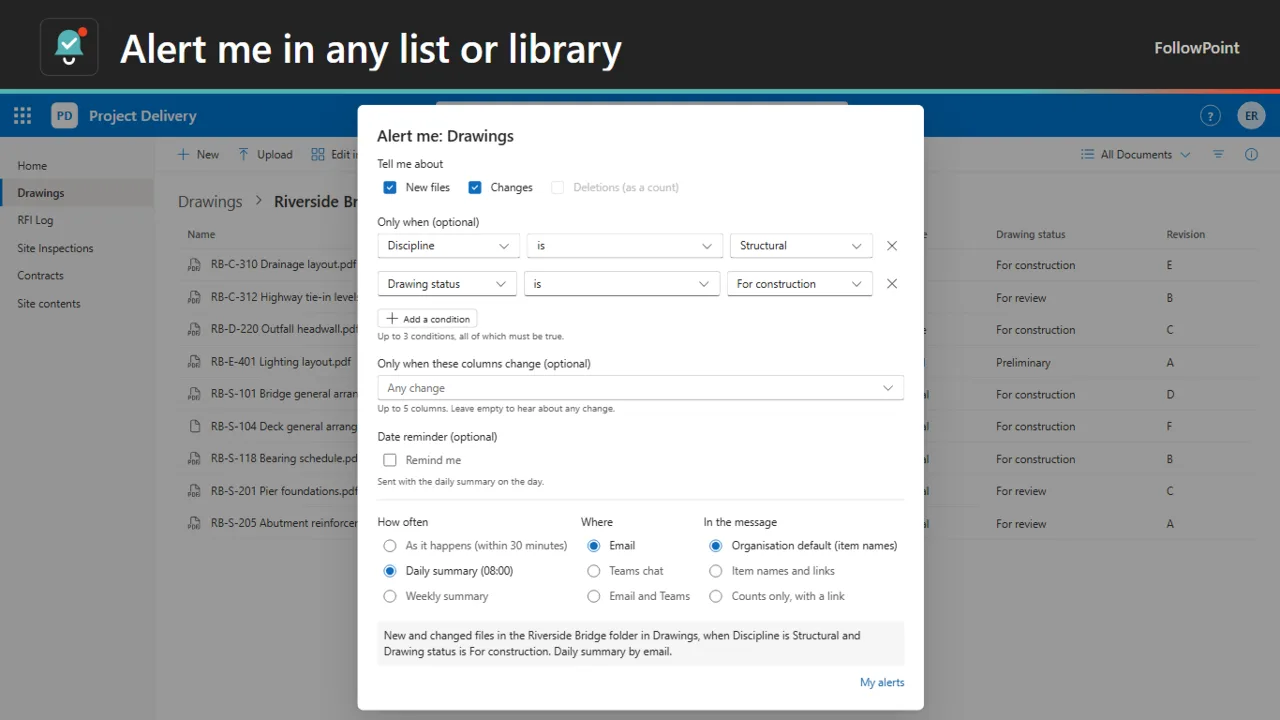
Alert me in any list or library
FollowPoint brings back Alert me for SharePoint and Microsoft Teams. Microsoft switched off classic SharePoint alerts in July 2026, with no conversion. Anyone who can open a list or library, guests in the site's groups included, can follow it and get alerts and daily or weekly summaries by email, Teams chat or both. Before anything is sent, the runner checks with SharePoint that each person may open each item and leaves out anything they cannot. FollowPoint asks for no Microsoft Graph permission and no admin consent.
Alert me sits in the toolbar: follow the whole list or library, the folder you are in, or one item or file.
New items, changes, deletions as a count and date reminders, with up to three conditions or only when chosen columns change.
Alerts within the runner interval, or one daily or weekly summary that names what changed, by email, Teams chat or both.
Before any message, the runner checks each recipient's access to each item with SharePoint and leaves out anything they cannot open.
Every alert you have on every FollowPoint site, with pause, edit and stop, as a page and as a Teams personal app, plus What changed since I last looked.
Set up a site in one step, set up alerts for named people or a SharePoint group, export or import alerts as CSV, and see the runner's health in Admin.
A short look at the app working, on real screens.
Site owners · Everyday employees · Intranet teams · Microsoft 365 administrators
FollowPoint 1.0 follows lists and libraries on a site collection's top-level site. "As it happens" means within the runner interval of 15, 30 or 60 minutes.
14-day free trial. Annual pricing in pounds, excluding VAT, with updates and support included.
Also included in Workplace Pack and All Access.
Bigger than the largest plan? Ask us for a quote. Full details on followpoint.app, or compare all prices.
FollowPoint brings back Alert me in every SharePoint list and library. Anyone who can open the content, guests in the site's groups included, can follow a list, a folder or one item and get alerts and daily or weekly summaries by email, Microsoft Teams or both.
No. Before any message, the runner checks each recipient's current access to each item with SharePoint's own permission check and leaves out anything they cannot open. If a check cannot be made, the item is left out.
GBP 499 a year for one site, GBP 999 for one site collection and all its sites, GBP 2,999 for every site in a tenant and GBP 4,999 for Tenant Plus, excluding VAT, with unlimited alerts and people and 30 percent off for education and charities.
Attention-grabbing popups SharePoint cannot do natively.
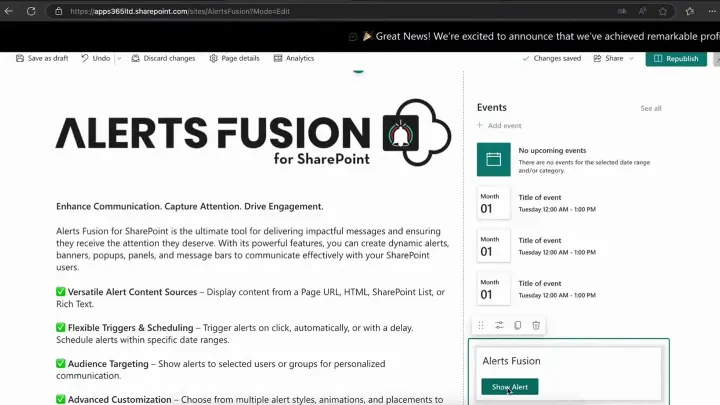
Messages that cannot be missed.
Branded, trackable short links native to Microsoft 365.