
 Image Maps
 NavPilot
 Advanced Tabs
 HTMLPoint
 Power Popups
 Alerts Fusion
 Short URL
 QR Code Drop
 FollowPoint
 DirectoryPoint
 HRPoint
 OnboardPoint
 GovernPoint
 ExposurePoint
 UsagePoint
 InvitePoint
 VerifyPoint
 AgentPoint
 ExpiryPoint
 Handover Pro
 EquipPoint
 TidyPoint
 DisposalPoint
What the law says about PAT testing
In Great Britain, the Electricity at Work Regulations 1989 require electrical equipment that could cause injury to be maintained in a safe condition. They do not say what must be done, by whom or how often, so PAT is not compulsory and there is no legal duty to test every year. Northern Ireland has its own Electricity at Work Regulations (Northern Ireland) 1991.
- Take a risk-based approach. Think about the type of equipment and how it is used. A kettle or a floor cleaner that is used a lot and moved around needs more attention than a desktop computer that stays where it is.
- Look before you test. Most defects can be found by looking, some only by testing, and some cannot be found by testing alone, so visual inspection is an essential part of PAT.
- Use competent people. In many low-risk workplaces, a trained member of staff can do visual inspections. Combined inspection and testing needs the right test equipment, the ability to use it properly and the ability to understand the results.
- New equipment. It should arrive safe and not need a formal test, but a simple visual check that it is not damaged is recommended.
How often to inspect and test
The HSE suggests these starting intervals. They are not legal deadlines: change them when your own results show equipment staying safe, or becoming unsafe, between checks.
| Equipment | User checks | Formal visual inspection | Combined inspection and test |
|---|---|---|---|
| Office IT, such as desktop computers and photocopiers | No | 1 to 2 years | None if double-insulated, otherwise up to 5 years |
| Double-insulated equipment that is not hand-held, such as fans and table lamps | No | 2 to 3 years | No |
| Hand-held double-insulated (Class II) equipment, such as some floor cleaners and irons | Yes | 6 months to 1 year | No |
| Earthed (Class I) equipment, such as kettles and some floor cleaners | Yes | 6 months to 1 year | 1 to 2 years |
| Cables, plugs and extension leads | Yes | 1 year | 2 years |
| Equipment used by the public, such as in hotels | By a member of staff | 3 months | 1 year |
What a PAT record should hold
Because the law does not set a format, keep what helps you run the scheme and show that it works. A useful record for each appliance holds:
- What it is. An asset number, a description, the make, model and serial number, and whether it is Class I (earthed) or Class II (double-insulated).
- Where it is. The site, room or person it is with.
- Each check. The date, the type (user check, formal visual inspection or combined inspection and test), who did it, the result and anything done, such as a new plug, a repair or taking it out of use.
- What is next. The next due date, set from the interval you chose for that kind of equipment.
- The evidence. The tester's certificate or report, kept with the asset rather than in a folder somewhere else.
How to keep a PAT register in SharePoint
- Create the register. Start from the Asset manager list template in Microsoft Lists or a blank list, with one item per appliance and the columns above.
- Keep a history. Record each inspection as a new item in a second list linked to the appliance, so a new result never overwrites the last one.
- Store certificates with the asset. Save each certificate in a document library and link it to the appliance and the inspection.
- Make views for the jobs. Due in the next 30 days, overdue, failed and taken out of use, and everything by site or room.
- Send reminders. A Power Automate flow can email the person responsible a few weeks before each due date.
- Label every item. Put the asset number on each appliance, as a QR code if you can, so the person checking it finds the right record standing next to it.
- Limit who can change results. Let the people who inspect add results, and let everyone else read them.
For the wider register of laptops, projectors and tools, see the SharePoint asset management guide.
Spreadsheet, SharePoint list or EquipPoint
| Spreadsheet | SharePoint list | EquipPoint | |
|---|---|---|---|
| One record per appliance | Yes | Yes | Yes, in your SharePoint lists |
| History of every check | If nobody overwrites it | With a second list | A full history of every change |
| Inspection schedule | A date column | Views and Power Automate reminders | Scheduled PAT and other inspections |
| Certificates with the asset | In a separate folder | In a linked library | Yes |
| Find the record by scanning | No | If you build a scanner | QR labels or NFC tags, scanned with a phone |
| Cost | Included | Included, plus build time | From £1,999 a year |
How EquipPoint keeps PAT records
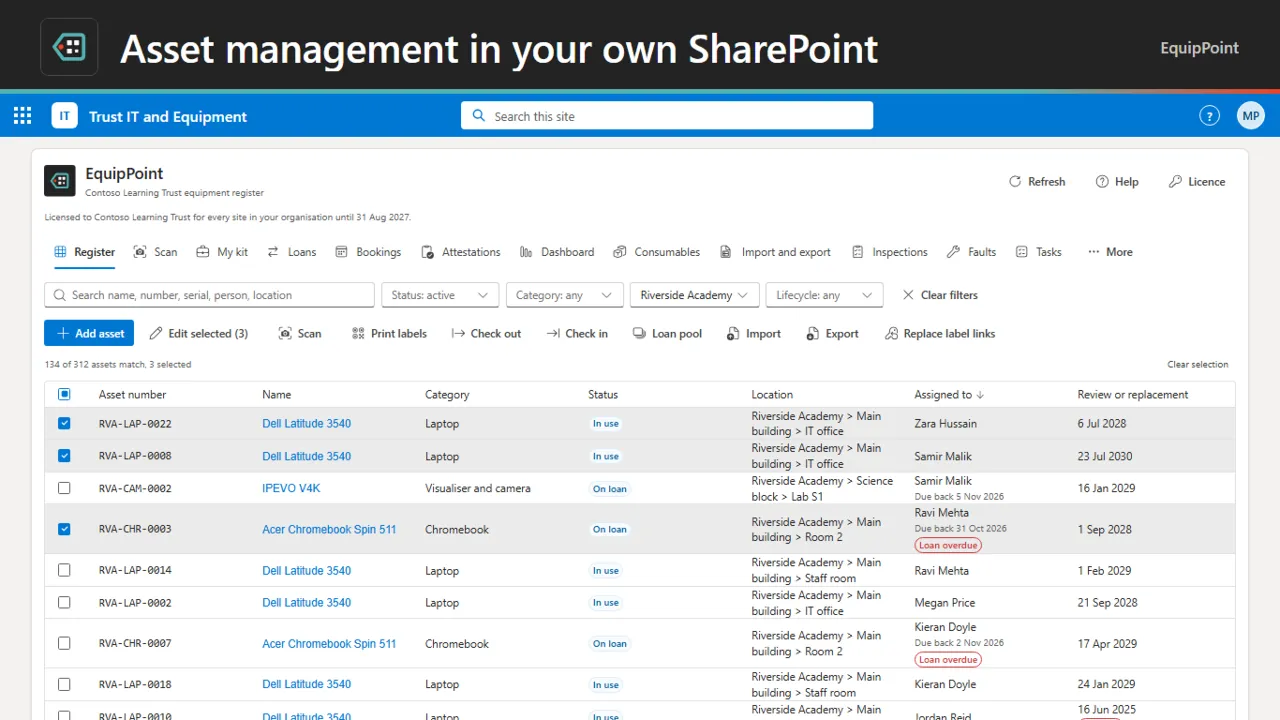
EquipPoint is scan-first asset management for SharePoint and Microsoft Teams, and your register lives in your own SharePoint lists with custom fields, locations and a full history of every change. Print QR labels on A4 sheets or write NFC tags: scan one with a phone camera, a webcam, a scanner or NFC and the asset opens after sign-in, so the record is updated standing next to the equipment.
Schedule PAT and other inspections with certificates, report faults with a photo, and export the register for auditors and insurers. Every plan has unlimited users and assets, the core asks for no Microsoft Graph consent, and plans start at £1,999 a year with a 14-day free trial.
Sources
Checked on 26 November 2026. Rules and Microsoft 365 features change, so check the source before you rely on a detail.