 Image Maps
 NavPilot
 Advanced Tabs
 HTMLPoint
 Power Popups
 Alerts Fusion
 Short URL
 QR Code Drop
 FollowPoint
 DirectoryPoint
 HRPoint
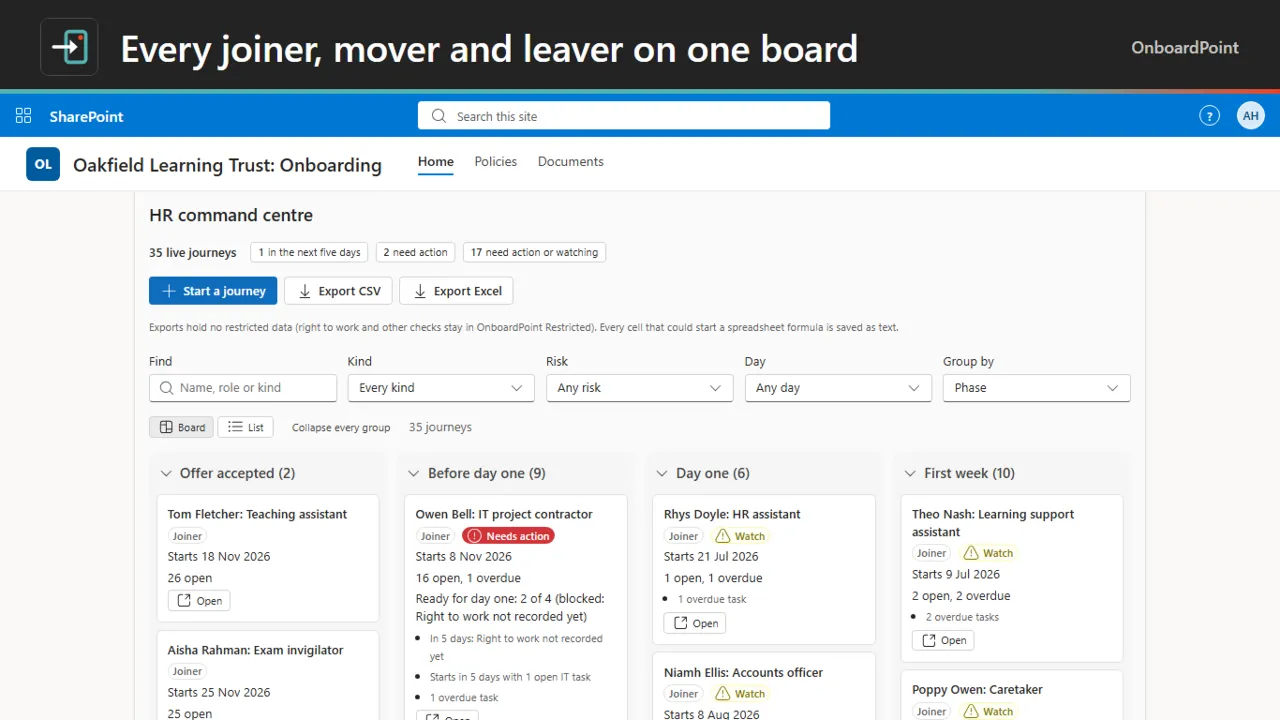
 OnboardPoint
 GovernPoint
 ExposurePoint
 UsagePoint
 InvitePoint
 VerifyPoint
 AgentPoint
 ExpiryPoint
 Handover Pro
 EquipPoint
 TidyPoint
 DisposalPoint
What SharePoint HR management covers
Most HR teams that already pay for Microsoft 365 want the same five things from SharePoint:
- One record per person. Contract, working pattern, start date, manager and documents, with a history of every change.
- Leave and absence. Holiday requests and balances, sickness, fit notes and return-to-work notes.
- Compliance records. Right to work checks, policy acknowledgements and training records that must be kept and found quickly.
- Self-service. Staff and managers asking and approving in Microsoft Teams, with no extra login.
- Reports. Headcount, absence, holiday liability, starters and leavers, and a file for payroll.
The appeal is simple: the data stays in your own tenant, under the security, retention and audit settings you already manage, and staff use the Microsoft 365 account they already have.
What SharePoint does for HR on its own
Out of the box, SharePoint Online gives HR good building blocks:
- An HR site. A communication site for policies, the handbook, forms and news, often shown in Teams through the SharePoint app, formerly Viva Connections. See how to build a SharePoint HR portal.
- Document libraries with permissions. Personnel files in a library only HR can open, with version history on every file.
- Microsoft Lists. Lists for requests, starters or training records, with views, filters and alerts.
- Power Automate. Approval flows, for example a holiday request that goes to the line manager.
What it does not do is HR logic. A list can store a holiday request, but it does not know how much holiday a part-time worker has left, which bank holidays apply in Scotland, when Statutory Sick Pay starts or when a time-limited right to work runs out. Every one of those rules has to be built, tested and kept up to date by someone.
The UK rules your HR set-up has to handle
If you build HR in SharePoint yourself, these are the rules most likely to catch you out:
- Holiday. Almost all workers are entitled to 5.6 weeks of paid holiday a year. For leave years starting on or after 1 April 2024, holiday for irregular-hours and part-year workers builds up at 12.07% of the hours worked in each pay period.
- Bank holidays differ by nation. England and Wales usually have 8 a year, Scotland 9 and Northern Ireland 10, so one company calendar is not enough if you employ people in more than one nation.
- Statutory Sick Pay. Since 6 April 2026, SSP is payable from the first day of sickness, the three waiting days have gone, and the lower earnings limit no longer applies, so more part-time and lower-paid staff qualify.
- Right to work. You must check that someone is allowed to work for you in the UK before you employ them, keep a record of the check, and follow up before time-limited permission ends. The civil penalty for employing someone without the right to work is up to £60,000 for each illegal worker. See right to work checks in Microsoft 365, including the changes from 1 October 2026.
- Data protection. Health information is special category data under UK GDPR, so a manager should see that someone is off sick, not why.
Rules change. Whatever you build or buy, check who keeps the rules up to date and where each rule comes from.
Three ways to run HR in SharePoint
There are three realistic set-ups. The right one depends on how many people you employ and how much of the HR logic you want to own.
| Build it with Lists and Power Automate | An HR system linked from SharePoint | An HR app inside SharePoint | |
|---|---|---|---|
| Where the data lives | Your tenant | The HR vendor's cloud | Your tenant |
| Holiday and SSP rules | You build and maintain them | Included | Included |
| Another login for staff | No | Usually yes | No |
| Works in Teams | With extra work | Sometimes, through an app | Yes |
| Set-up effort | Weeks, then ongoing upkeep | Days to weeks, plus integration | Hours to days |
| Best for | Simple needs and in-house Power Platform skills | Payroll-led HR in a larger suite | HR that wants to stay in Microsoft 365 |
How to set up HR in SharePoint, step by step
- Decide what lives where. Policies and the handbook on an HR site everyone can read; personnel records in a separate site or app that only HR can open.
- Lock down the HR records site. Use a Microsoft 365 group for the HR team, break permission inheritance only where you must, and turn off sharing with people outside your organisation for that site.
- Set up one record per person. Agree the fields (worker type, contract, working pattern, start date, manager, probation and notice) and keep a dated history rather than overwriting.
- Add leave. Decide days or hours, your leave year, carry-over and which nation's bank holidays apply to each person.
- Add sickness and right to work. Record dates and the category, keep fit notes and check copies where only HR can see them, and set reminders for follow-up checks.
- Bring it into Teams. Add the HR site or app as a Teams tab so staff ask and managers approve where they already work.
- Test the awkward cases. A part-time starter mid-year, an irregular-hours worker, a leaver with untaken holiday, and someone based in Northern Ireland.
Where HRPoint fits
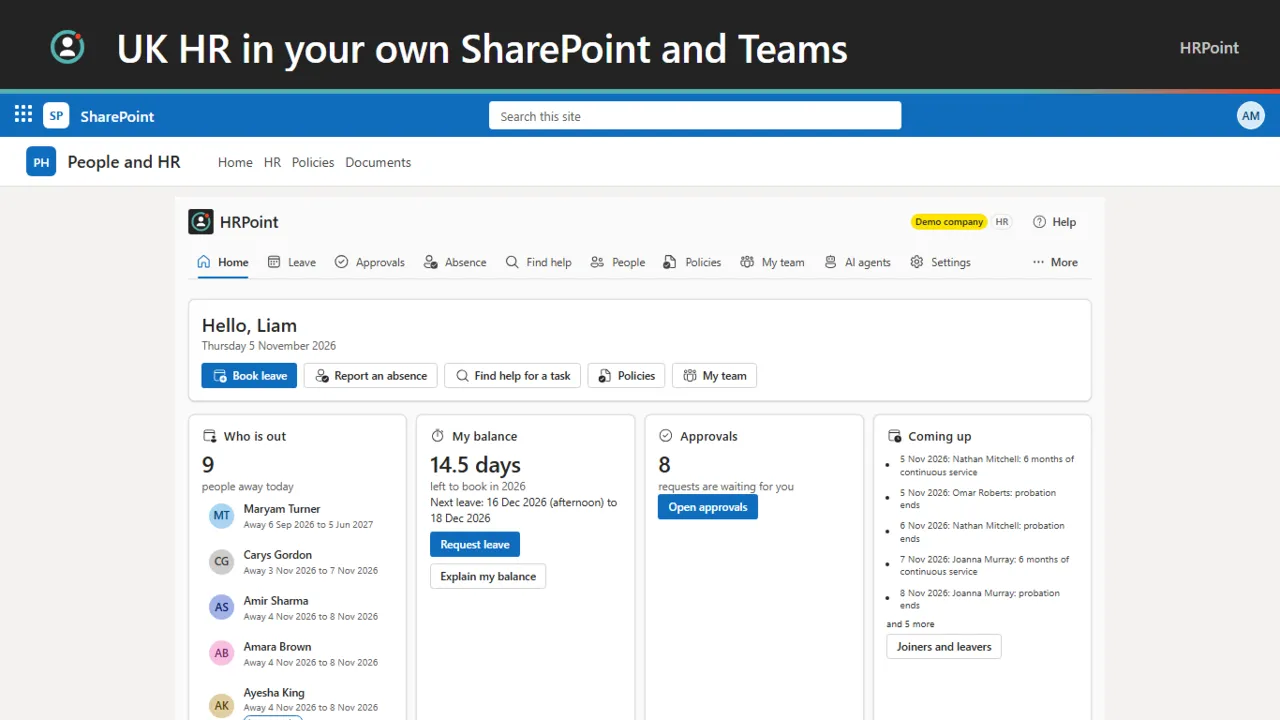
HRPoint is UK HR for Microsoft 365 that runs on SharePoint in your own tenant and in Microsoft Teams. It keeps one dated record per person, works out holiday in days or hours (pro-rata, irregular hours, each nation's bank holidays and carry-over) with an "Explain my balance" view, handles sickness, fit notes and day-one Statutory Sick Pay, and keeps right to work records with follow-ups before time-limited permission ends.
A manager sees absence dates and the category, never a diagnosis, and every approval has a decision record. Every feature is in every plan, from £395 a year, with a 14-day free trial.
Sources
Checked on 26 November 2026. Rules and Microsoft 365 features change, so check the source before you rely on a detail.