 Image Maps
 NavPilot
 Advanced Tabs
 HTMLPoint
 Power Popups
 Alerts Fusion
 Short URL
 QR Code Drop
 FollowPoint
 DirectoryPoint
 HRPoint
 OnboardPoint
 GovernPoint
 ExposurePoint
 UsagePoint
 InvitePoint
 VerifyPoint
 AgentPoint
 ExpiryPoint
 Handover Pro
 EquipPoint
 TidyPoint
 DisposalPoint
Start with what Microsoft gives you
- The New employee onboarding site template. A SharePoint communication site that guides new starters through your onboarding process.
- The Employee onboarding team site template. A team site for your onboarding team and new hires, with training resources, news, onboarding lists and upcoming events.
- The Employee onboarding template in Microsoft Lists. A ready-made list of onboarding work with due dates, plus the contacts and resources a starter needs, that you can copy for each new person.
Together they cover the welcome and a basic checklist. They do not create tasks automatically for each new person, remind owners as the start date gets close, or record who did what.
An employee onboarding checklist
Copy this into your list or app and adjust it to your roles. The point is that every task has an owner and a date, counted from the start date.
When the offer is accepted
- HR send the contract and collect personal and bank details
- HR carry out and record the right to work check before day one
- Manager confirm the role, working pattern and start date
- IT order the laptop and phone
- Facilities arrange a desk, building pass and parking
The week before
- IT create the Microsoft 365 account and assign licences
- IT add the starter to the right groups and Teams
- Manager choose a buddy and plan the first week
- Payroll set the starter up for the next pay run
- HR send the welcome email with the first-day details
Day one
- Manager welcome, introductions and the plan for week one
- IT hand over equipment and help with the first sign-in and MFA
- HR health and safety induction and the key policies to read
- Buddy lunch and a tour of the office or the team's channels
The first 90 days
- Manager a one-to-one every week in the first month
- HR probation review dates in the diary
- Starter training and policy acknowledgements
- Manager 30, 60 and 90 day check-ins against the plan
When one list stops being enough
A single onboarding list works for a handful of starters a year. These are the signs you have outgrown it:
- Tasks are copied by hand for every starter, and someone forgets a step.
- IT, facilities and payroll can see the whole list, including personal details they do not need.
- Owners are chased by email because nothing reminds them as the start date gets close.
- Movers and leavers run on a different spreadsheet, so access is not changed or removed on time.
- When someone asks who checked the right to work, and when, the answer is in an inbox.
Bringing onboarding into Microsoft Teams
New starters spend their first days in Teams, so put the welcome site, the checklist and the people to meet in a tab in the team they join. HR, IT and facilities can each pin a view of their own tasks in their own team, which keeps the work visible without giving everyone access to everything.
How OnboardPoint runs joiners, movers and leavers
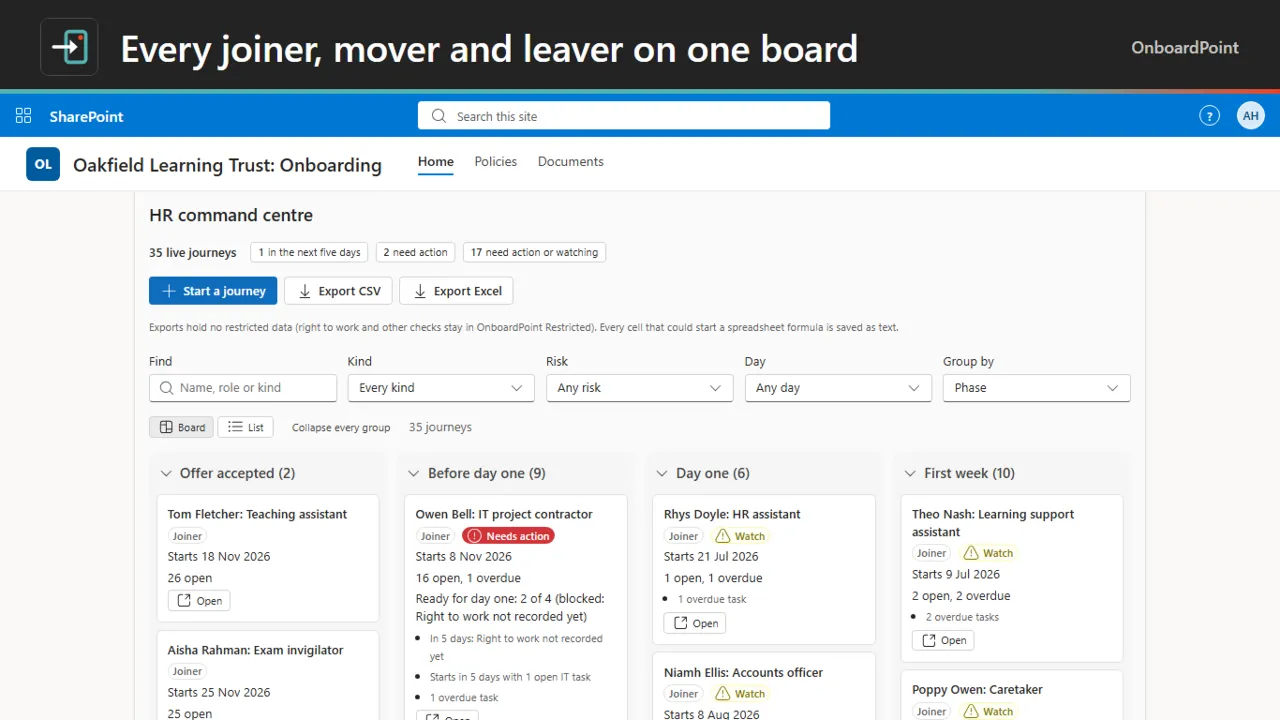
OnboardPoint runs onboarding, internal moves and offboarding in SharePoint and Microsoft Teams. One record per person creates dated tasks for HR, IT, facilities, payroll, managers and buddies, so each owner sees their part and nobody chases by email. Day-one and last-day gates hold the checks that must be done in time, the first 90 days carry on from a starter home, and evidence packs show who did what and when.
Schools and trusts get a single central record per academy with KCSIE checks. Records stay in your Microsoft 365 tenant, it needs no Microsoft Graph permission to start, and plans start at £999 a year with a 14-day free trial.
Sources
Checked on 26 November 2026. Rules and Microsoft 365 features change, so check the source before you rely on a detail.